
Hypex DSP Manager (USB control and upload)
On this page
Overview
View → Hypex DSP Manager controls the Hypex DSP3-213 (FusionAmp FA25x) and DSP3-224 modules connected over USB, and sends the open project to one of their three presets — without Hypex Filter Design and without the Hypex driver libraries. LinFIR talks to the modules directly (USB HID), on macOS, Windows and Linux.
Close Hypex Filter Design first: only one program can use the module at a time.
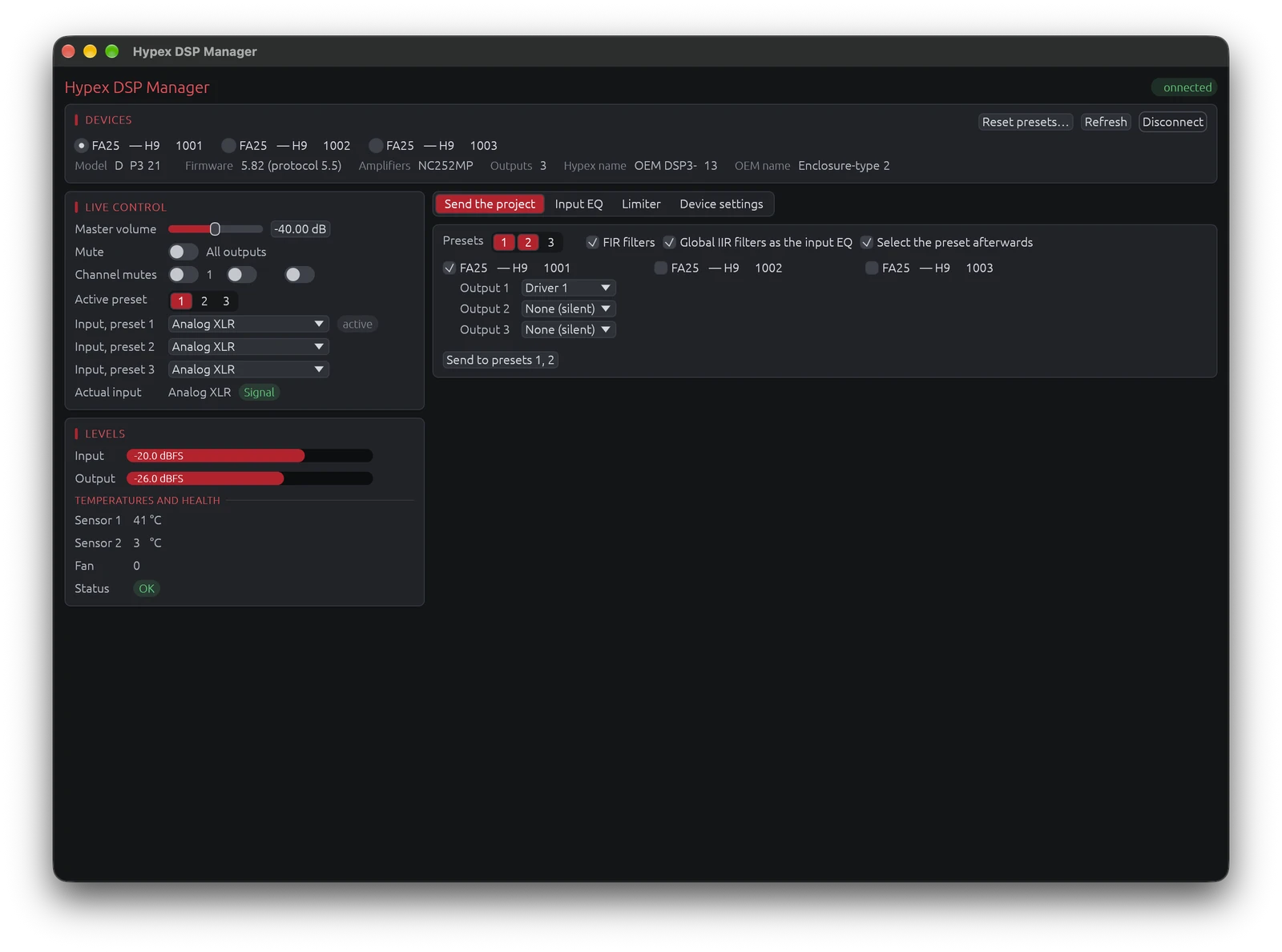
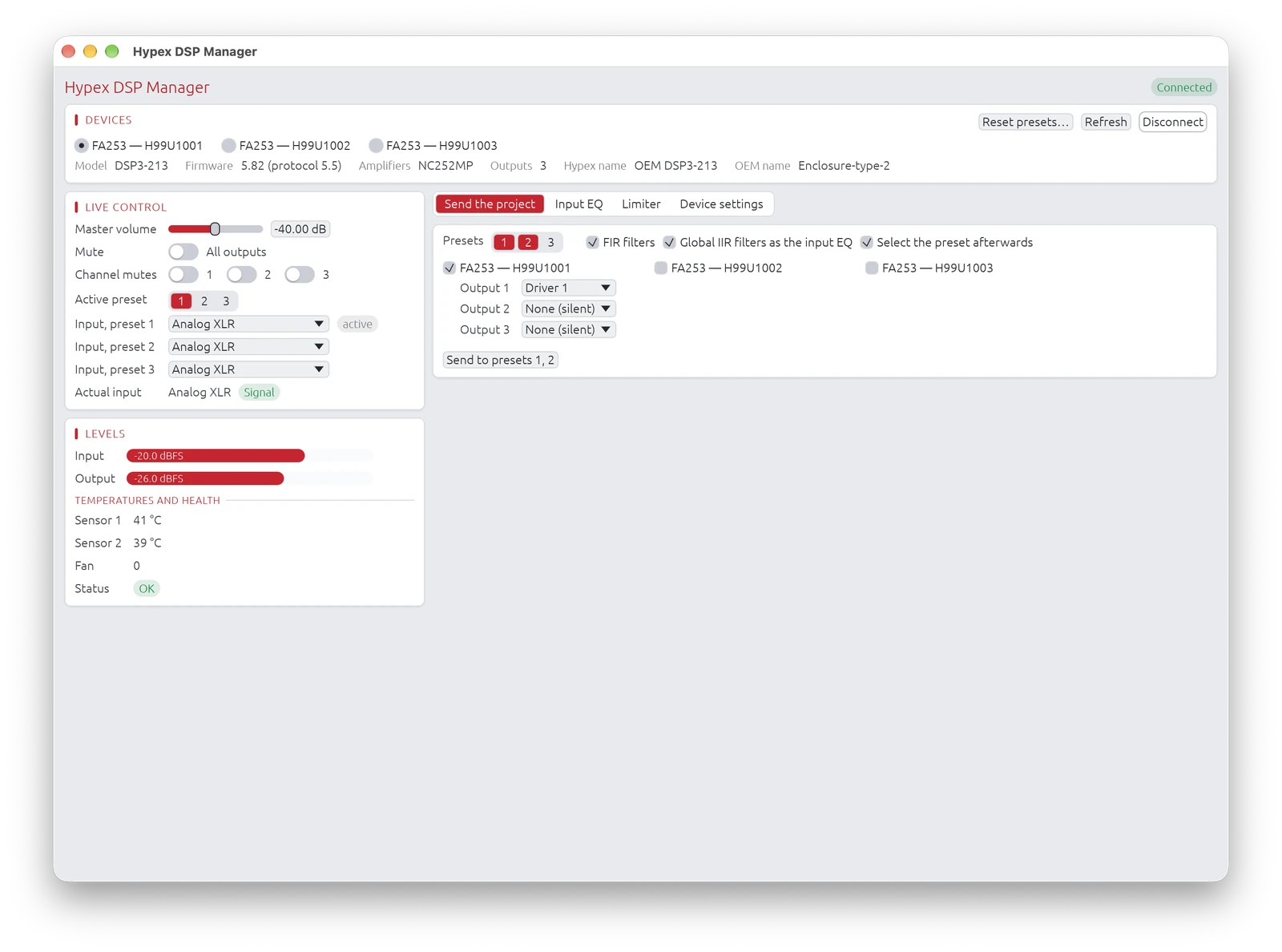
Several modules can be connected at once (for example an FA253 and an FA502): they are all opened. The Devices strip at the top picks the one the live controls, limiter, input EQ, settings and routing apply to, and shows its model, firmware and amplifiers; Disconnect releases only that one. Under it, the live controls and the meters are on the left; the tabs on the right send the project and hold the input EQ, the limiter, the device settings and the DSP3-224 routing.
Live control
- Master volume (−96…+18 dB, 0.1 dB steps, the resolution of the amplifier's display), global mute and per-output mutes.
- Active preset (the window waits until the module has loaded it) and the input source of each preset.
- Level meters, temperatures, fan and health of the amplifier modules.
Limiter, input EQ, settings, routing
Limiter: the soft-clip limiter on or off, and the speaker power and impedance of each output the thresholds are computed from (DSP3-213: attack and release; DSP3-224: attack and decay per output).
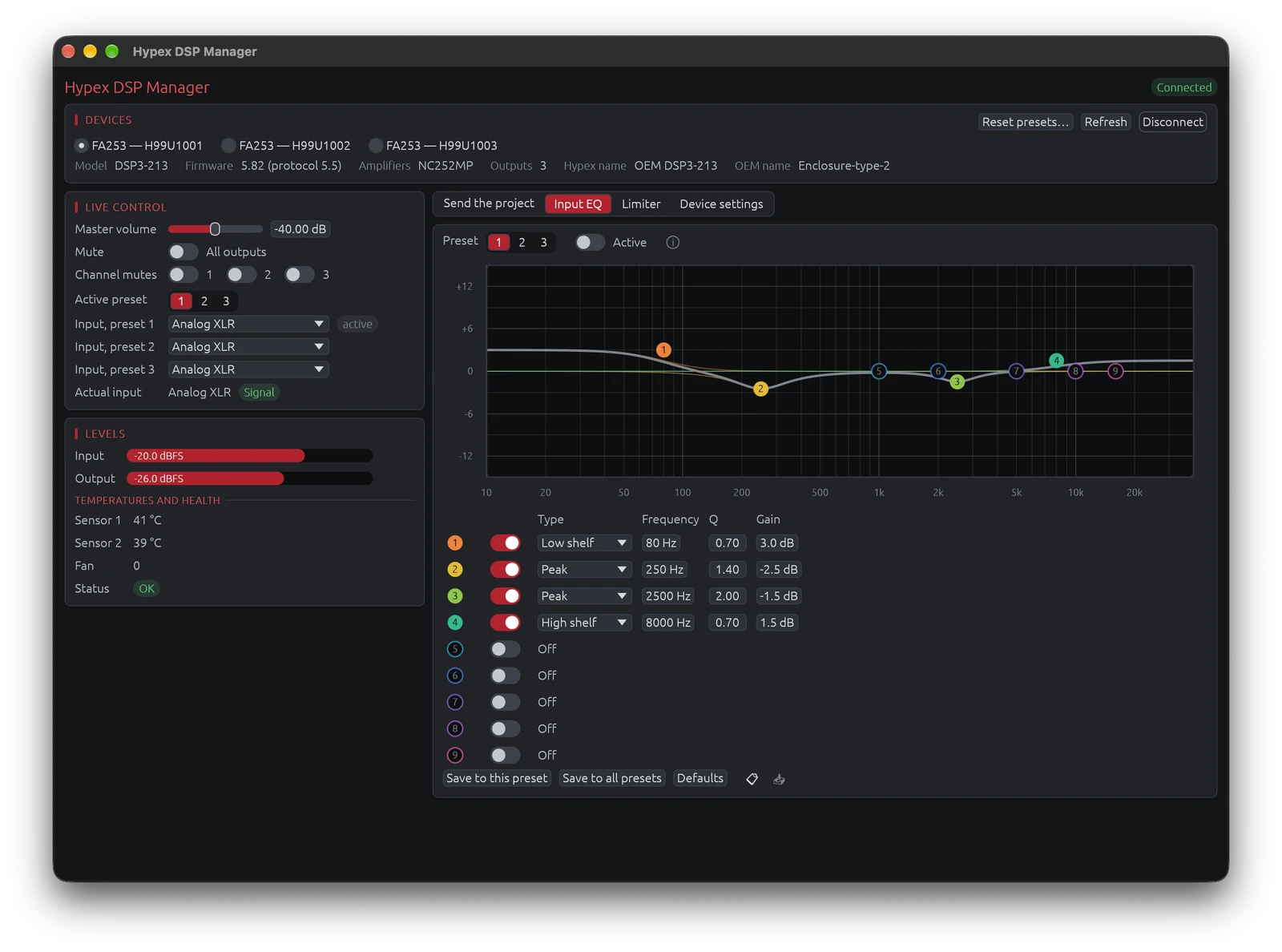
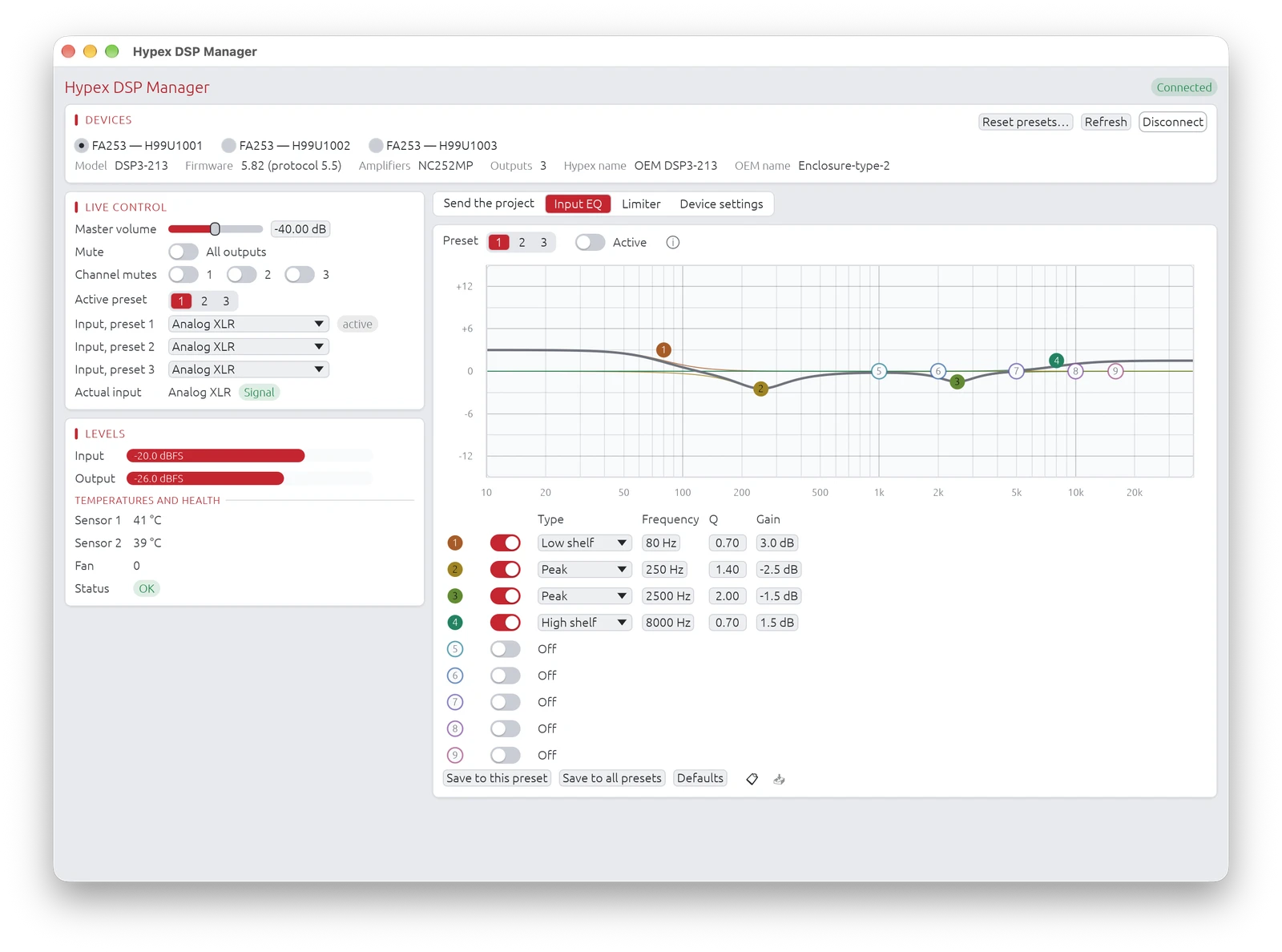
Input EQ: the 9 sections of a preset's input equalizer (peak, low shelf, high shelf), on or off, saved to one preset or to all three. The curve shows their summed response, each band in its colour with a numbered point, as in DEM Audio Align:
- drag a point for its frequency and gain; drag it up or down with the right button (or Ctrl / Cmd and the left button) for its Q, a narrower band upwards; hold Shift while dragging for fine moves;
- double-click a point for a gain of 0 dB; right-click it for its type, on / off and its default settings;
- a section that is off shows as a ring at its default place and comes on when you drag it; a custom biquad sent by LinFIR is drawn without a point.
The fields under the curve set the same values exactly; the band under the pointer is highlighted in both. 📋 copies the 9 sections and 📥 pastes them into the preset shown - of the same module or of another one; save them to write them.
Device settings: standby power, auto power-off, signal detection and its levels, wake on mains, startup volume, per-preset volume offsets, master / slave, display brightness, standby LED, DAC filter (DSP3-213) and bridged (BTL) outputs. Bridging takes effect when the DSP restarts.
Routing (DSP3-224): per preset, the input mixer and the signal of each output.
A password-protected module only lets you change what its owner allowed until you unlock it.
Reset presets… (in the device strip) clears the three presets of the module: every output loses its filters (IIR and FIR), gain, delay and polarity inversion, the input EQ is cleared and switched off, and the volume offsets go back to 0 dB. The DAC filter, limiter, inputs, routing and device settings are kept. Every output then plays the full-range signal, so all the outputs are muted (globally and one by one) before anything is written: unmute them once a project is sent. The reset needs the device to allow both sending filters and muting.
Sending the project
The project must run at 93 750 Hz. Pick the presets - one, two or all three: a click adds or removes one - check the modules to send it to, and choose the driver of each of their outputs — one driver can feed several outputs, on one module or on several (a dual-voice-coil subwoofer on both outputs of an FA502, for example). The modules are laid out side by side, as many as the window's width allows, the others below. Send to preset N (or Send to presets 1, 2, 3) checks everything first, then sends the project to each preset of each checked module in turn:
- each output gets its driver's IIR filters (up to 15 biquads), delay, gain and polarity; an output with no driver is silent;
- FIR filters: the global correction FIR or each driver's FIR, never both (as for the HFD export; a Hypex FusionAmp project's FIR position decides);
- Global IIR filters go to the preset's input EQ (up to 9 sections).
With Select the preset afterwards, each module ends on one of the presets sent: the active one if it was among them, else the first. Without it, the module keeps its active preset (reloaded if it was sent).
Every write is read back and checked. The module stores the biquads in fixed point (8.24), which places a low-frequency corner only to within about half a percent: LinFIR picks the coefficients of all the biquads of an output together, so that these small errors cancel (typically less than 0.05 dB, against several tenths of a dB with plain rounding). An output with no driver is set to exact silence. Where a deviation remains (more than 0.1 dB, beyond what a 0.5 % shift in frequency explains, for example a narrow EQ near 30 Hz or a high-pass around 10 Hz), it is listed behind the ⓘ next to the send button. The outcome of each operation shows briefly after the window title.
Linux
The LinFIR packages (.deb, .rpm, AUR) install the udev rule that lets LinFIR open the module without administrator rights (/usr/lib/udev/rules.d/70-linfir.rules). With the AppImage, or another installation, add this rule to /etc/udev/rules.d/70-linfir.rules:
KERNEL=="hidraw*", ATTRS{idVendor}=="345e", MODE="0666"
Then unplug and replug the amplifier.
Command-line tool
dsp3ctl, the command-line tool of the hypex-dsp3 driver, offers the same functions from a terminal, plus backups, a trace of the USB traffic and a hardware self-test. It is not distributed with LinFIR: contact DEM Audio if you need it.