
This update grew bigger than I planned, so it is LinFIR 1.5 rather than 1.4.13. Here are the changes you are most likely to notice. The release notes list all of them.
Hypex DSPs over USB
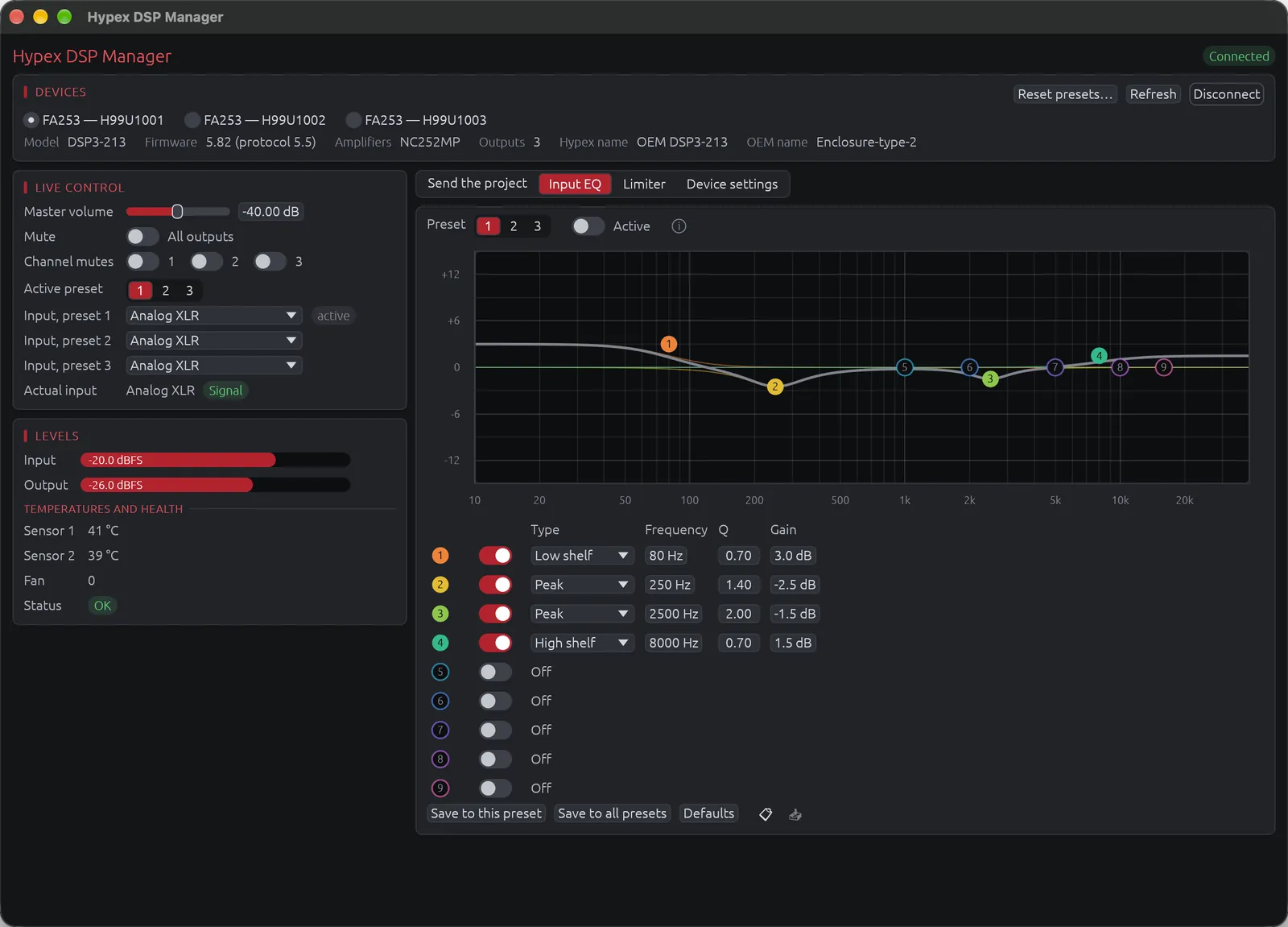
LinFIR now talks directly to the Hypex DSP modules, the DSP3-213 of the FusionAmp amplifiers and the DSP3-224, through a USB cable. Hypex Filter Design only runs on Windows, and LinFIR needs neither it nor the Hypex drivers, on Mac, Windows or Linux. I developed this in collaboration with Hypex, and the Hypex page describes it in detail.
In the Hypex DSP Manager (View menu), you give each output of each connected DSP a driver of the project, then send the project to one, two or all three presets. Each output gets its driver's IIR filters, delay, gain and polarity. The FIR filters go to the outputs or to the input, and the global IIR filters become the input EQ. If your system uses several amplifiers, a satellite on an FA253 and a subwoofer on an FA502 for example, they are all set up with the same click. Every write is read back from the module to check it.
The DSPs store their biquad coefficients in fixed point, which can shift a low-frequency filter by several tenths of a dB. LinFIR chooses the coefficients of an output together so that these errors cancel, and the remaining deviation usually stays below 0.05 dB.
The same window controls the amplifier while it plays (volume, mutes, presets, inputs, limiter, settings), and the input EQ can be edited on its curve. All of this is in the free version.
LinFIR for Hypex FusionAmp and the Hypex DSPs
Measurements in dB SPL
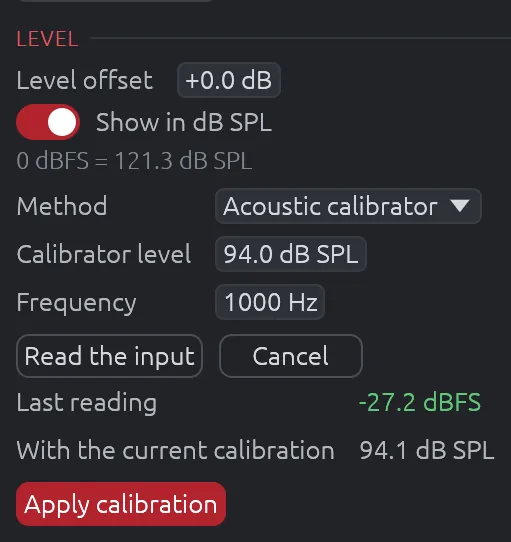
A measurement made with LinFIR can now be read in dB SPL. You calibrate the input chain once (microphone, preamp gain and interface), either with an acoustic calibrator on the capsule, at 94 or 114 dB and 1 kHz, or with a sound level meter next to the microphone while LinFIR plays pink noise. The response then shows, at each frequency, the SPL the sweep produced there. The sweep level and the amplifier gain can change afterwards, since only the input chain is calibrated, and the filters are designed as before.
With the near-field captures calibrated as well, the splicing wizard compares the level it matched with the level physics expects from the elements' Sd and the distances. A wrong Sd, a mis-measured distance or a gain changed between two captures shows up there.
The enclosure and the turntable in 3D
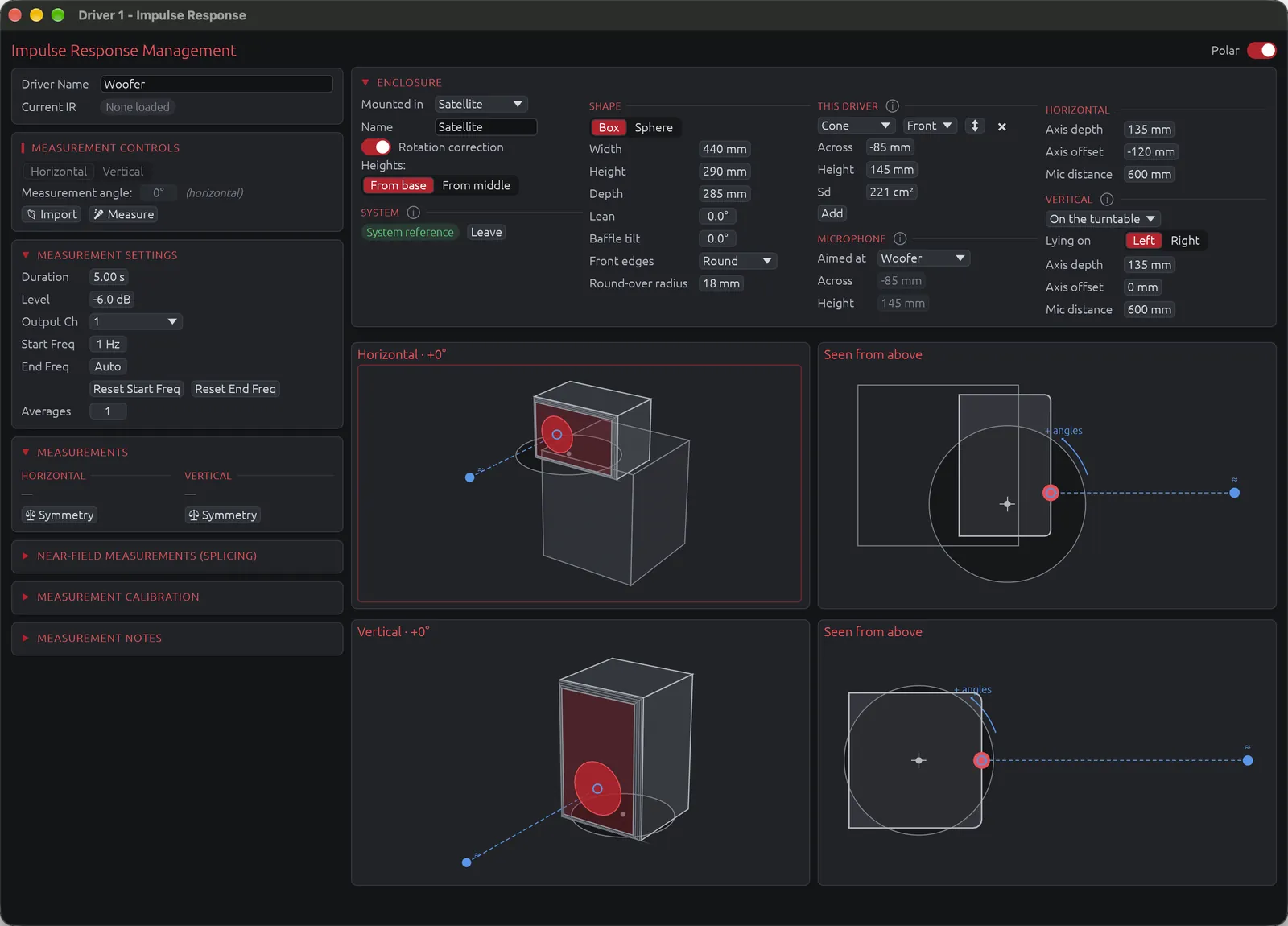
You now describe the setup once, in the polar mode of the IR Management window. That means the enclosure (a box with its baffle tilt and front edges, or a sphere), where the cones, vents and passive radiators sit on it, where the turntable axis is and where the microphone points. LinFIR draws it in perspective and from above, turned to each measurement angle.
This matters most for large speakers. The usual advice is to put the turntable axis through the baffle, but a big cabinet placed that way overhangs the table and can tip over. Ask me how I know. You can instead stand it with its weight centred on the turntable and tell LinFIR where the axis is. The rotation-centre correction then brings each measurement back to what it would have been with the axis through the point the microphone faces, so a polar measurement no longer means balancing a heavy cabinet on the edge of the table.
The rotation-centre correction and the near-field splicing both use this description, and both now work in 3D. A woofer 20 cm below the microphone's height used to be taken as at that height, and each angle of a splice is now predicted where the microphone really was. Enclosures that play together, a subwoofer under a satellite for example, are placed relative to each other and sum with their real delays at every angle. FRD files exported without their delay get their timing back from the enclosure.
Projects made before 1.5 are converted when you open them. The correction stays the same apart from the driver heights, but check the drawings once.
Spinorama curves as the standard computes them
CTA-2034-A averages powers, the squared pressures, in all its curves, and LinFIR now does the same. Between two measured angles, the rotation-centre correction now interpolates powers too, which avoids the notches and low readings that appeared off axis at high frequency with 10° steps. Spinoramas made with 1.5 will differ a little from those made with 1.4.
Smaller changes
- Target curve points can be dragged on the graph, added with a click and removed with a right-click.
- Graph legends only show while the pointer is over the graph.
- Undo and redo work in every window.
- A button sorts the IIR filters by frequency.
- The distortion IR window (Advanced Module) has a manual window for the harmonics.
- Room Calibration takes up to 50 measurements.
- A new magnitude correction filter starts at 100% Strength. Existing filters keep theirs.
Lifetime or monthly license
The Advanced Module now comes as a lifetime license for €149, as before, or as a monthly license for €14.99 that starts with 14 free days. The License tab of LinFIR has a button for each, and a monthly license is managed or cancelled from there. Details are on the LinFIR page.
Getting 1.5
LinFIR tells you when an update is available, and the downloads are on the LinFIR page. If something doesn't work as it should, write to me.